

Architecture
ChatCLI ships as three artifacts that work standalone or together: the local CLI, the gRPC server, and the Kubernetes operator. Use just the CLI on your terminal, or set up a full topology with server + operator for teams and production environments.Current versions
ChatCLI (Client)
1.139.0 — The binary you install and use in your terminal. Interactive mode, agent, coder, smart context, and remote server connection.
brew install chatcli · go install · binarygRPC Server
1.139.0 — Centralized deployment for teams. Clients connect via
chatcli connect and share LLM providers, sessions, and plugins. ghcr.io/diillson/chatcli:1.139.0AIOps Operator
1.139.0 — Autonomous incident detection, AI-powered analysis, and automated remediation for Kubernetes clusters. 17 CRDs, 54+ actions.
ghcr.io/diillson/chatcli-operator:1.139.0Helm Charts
1.139.0 — Distributed via ArtifactHub and OCI registry on GHCR.
oci://ghcr.io/diillson/charts/chatcli oci://ghcr.io/diillson/charts/chatcli-operatorQuick start
Highlights
Harness/Quality Pipeline (7 patterns)
Full suite: ReAct, Plan-and-Solve/ReWOO, Reflexion, RAG+HyDE, Self-Refine, CoVe, and cross-provider reasoning backbone. Each pattern opt-in via
/config quality or the slashes /thinking, /plan, /refine, /verify, /reflect.Multi-provider
Switch between OpenAI, Claude, Gemini, Grok, ZAI (Zhipu AI), MiniMax, Moonshot (Kimi), OpenRouter (200+ models), GitHub Copilot, StackSpot, and local models via Ollama — all from a single interface.
Agent Mode
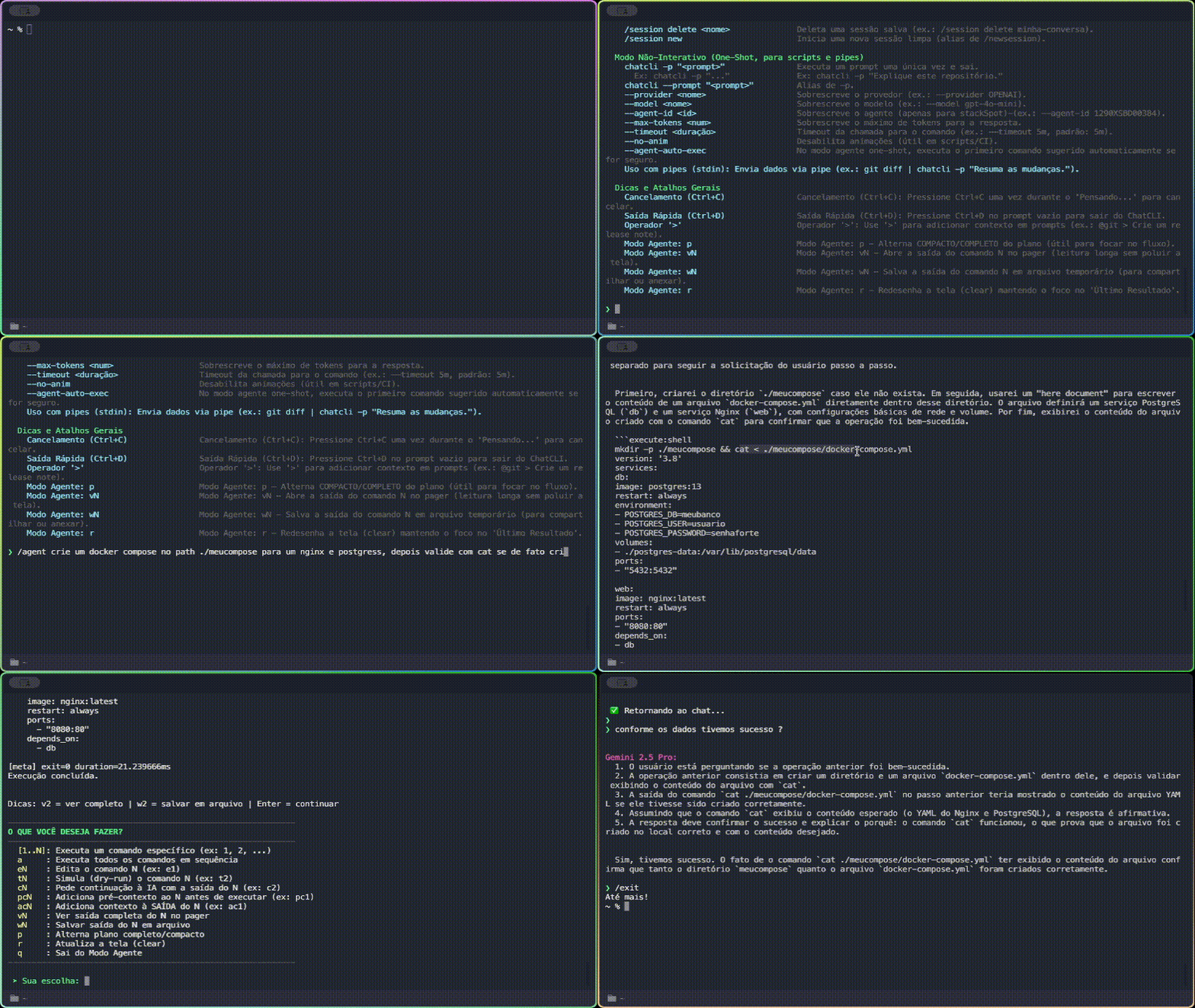
Delegate tasks with . The AI plans, suggests commands, and executes with your approval. Built-in safety against dangerous actions.
Coder Mode
Software engineering with . The AI reads, edits, applies patches, and runs tests in a loop with automatic rollback.
Atomic Tools
, , narrow read-only + (TodoWrite parity) + transactional. Architectural parity with Claude Code.
Smart Context
Inject context with , , , , and . Your environment straight into the AI prompt.
Multi-Agent
12 built-in specialist agents (File, Coder, Shell, Git, Search, Planner, Reviewer, Tester…) in parallel.
Customizable Agents
Create personas with reusable skills in Markdown. Version-controlled with Git, shareable across teams.
K8s Watcher and AIOps
Monitor K8s workloads in real time. Operator with 17 CRDs, 54+ remediation actions, log analysis, and metrics.
Durable Scheduler
Cron, wait-until, DAG, and daemon mode. Jobs survive CLI restarts. Agents schedule their own follow-ups.
ArtifactHub
Helm charts published to ArtifactHub with automated CI/CD, 17 documented CRDs, and OCI registry.
Conversation Control
compacts history preserving what matters. and Esc+Esc go back to any point.
Hooks and Web Tools
Lifecycle hooks (pre/post tool, session start/end), native WebFetch and WebSearch to enrich context.
Problems ChatCLI solves
Endless copy and paste
No more
cat file.js, selecting text, Ctrl+C, opening the browser, pasting, and typing your question. Use @file directly in the terminal.Generic commits
@git + a question = perfect commit message based on the actual diff of your code.Intimidating log analysis
Pipe directly to the AI:
cat error.log | chatcli -p "root cause?" — instant diagnosis.Learning curve
@file ./src --mode smart and ask: “how does auth work?” — onboarding in minutes.Who is ChatCLI for?
Developers
Debug code, understand codebases, generate tests, refactor, and document — all without leaving the terminal.
DevOps / SREs
Analyze K8s logs, automate deploys, diagnose incidents with AI, and monitor clusters.
CLI Enthusiasts
Supercharge your terminal, create powerful aliases, and explore new ways to interact with AI.
DBAs / Data Engineers
Automate repetitive tasks, analyze queries, manage databases, and data pipelines.
Next steps
Full installation guide
Homebrew, binary, go install, from source, Docker, and OAuth.
Basic usage
Essential commands, modes, and navigation in the interactive prompt.
Cookbook
Practical recipes: agent refactoring, log debugging, K8s monitoring, AIOps in production.
API Reference
REST endpoints for the server and operator: incidents, SLOs, runbooks, analytics, federation.
Recent updates
We only highlight major and minor versions here. Patches and hotfixes ship to GitHub Releases — the source of truth for the full changelog.
- transcription — pure-Go OGG/Opus decoding and actionable ffmpeg guidance
- plugins — bring @docs-flatten in as a builtin tool
- tls — global corporate TLS trust overrides for all outbound clients
- context — knowledge mode: index-card attach + keyless hybrid retrieval (BM25 + embeddings) + @knowledge pull tool (agent/coder/chat)
- i18n — stop x/text from stamping MISSING into argless lookups
- transcription — embedded offline Whisper STT via sherpa-onnx
- webfetch — render JS pages via headless browser escalation
- websearch — keyless fallback providers + Claude Fable 5 in catalog
- embedding — rebuild embedding provider on /reload
- operator — resolve all 82 open gosec findings
- context — semantic passage retrieval for /context attach
- memory — blend cosine, lexical and temporal signals in retrieval ranking
- gateway — voice replies, embedded TTS and memory resilience
- imagegen — Z.AI + MiniMax image backends, model-aware auto, and /model-image
- proactive messaging, productivity skills pack, and multimodal agent tools
- gateway — voice messages (transcription) + conversational replies
- add interactive ask_user tool for agent, coder and chat
- cli — interactive command palette overlay
- cli — gateway runtime model, /model + /max-tokens, 9 new themes
- gateway — list stop in the /gateway usage hint
- ui — unified color theme system + indentation-safe rendering
- catalog — add Claude Opus 4.8 with adaptive thinking and fast mode
- gateway — messaging gateway — Telegram, Slack, Discord, WhatsApp, Webhook
- hub — cross-channel conversation continuity via shared hub
- lsp — language server diagnostics via /lsp
- memory hybrid capture, security & multi-provider robustness (Tiers A+B+partial C)
- rpcserve — MCP server + ACP agent over stdio
- aiops — close 5 gaps surfaced by 2026-05-23 chaos test
- auth — TokenProvider with proactive OAuth refresh and retry-on-401
- mcp — complete channel push delivery, reactive triggers and persistence
- ui — cross-mode UI polish — i18n, red errors, lipgloss cards, unified banners
- Claude Code parity tool layer (atomic tools, @todo, multipatch, schema validation, per-tool policies)
- tool layer enterprise refactor (security UX + parallel orchestration + provider-agnostic tool_result)
- mcp — add Streamable HTTP transport (MCP 2025-03-26)
- moonshot — add Moonshot (Kimi) provider with thinking-mode support
- qg — 15-floor Quality Gate overhaul — fix Floor 3, add 6 floors, redesign table
- mcp — tier 1-3 server config extensions + autoApprove audit
- skills — session-scoped pin for multi-turn auto-injection
- mcp — per-server commands + logs ring + manual reload
- coder — use go-prompt for iteration input (paste + full width)
- mcp — inherit parent env, expand $, and hot-reload from empty state
- Agent Park & Resume —
@parktool that suspends the agent loop, frees the terminal, and auto-resumes itself when the timer/probe completes. Four modes:delay,until,for_url,for_cmd. See Agent Park & Resume. - Foreground auto-resume — TIOCSTI on Unix and
WriteConsoleInputWon Windows automatically inject/resume <token>into the TTY; transparent fallback when the kernel restricts it (Linux 6.x+, macOS Ventura+). - Management slash commands —
/parked(list),/resume <token>,/cancel-park <token>with prefix-match and idempotency against the auto-resume race. - Operator SchemeBuilder migration — controller-runtime 0.24 deprecated
sigs.k8s.io/controller-runtime/pkg/scheme.Builder; migrated to apimachinery’sruntime.NewSchemeBuilder(–43 net lines).
- Scheduler (Chronos) — cron, wait-until, DAG, and daemon mode with durable WAL
- Bedrock provider — Claude/Llama/Nova via AWS Bedrock with IAM/profile/credentials chain
- Token waste audit — cache in agent mode, cached tool defs, early-exit/routing
- Anthropic cache coalescer — local planner respecting the 4-marker cap without losing cache
- /config sections — became hierarchical (
/config <section>) with runtime mutation
- MCP client + hooks + web tools — parity with Claude Code
- Cost tracking with per-provider price tables
- Plan mode + worktrees integrated
- Harness/Quality Pipeline (7 patterns) — ReAct + Plan-and-Solve + Reflexion + RAG+HyDE + Self-Refine + CoVe + Reasoning Backbone
- Context injection via system prompt with Anthropic caching
- Bubble Tea TUI as default (go-prompt removed)
Track all releases on GitHub Releases or ArtifactHub.